

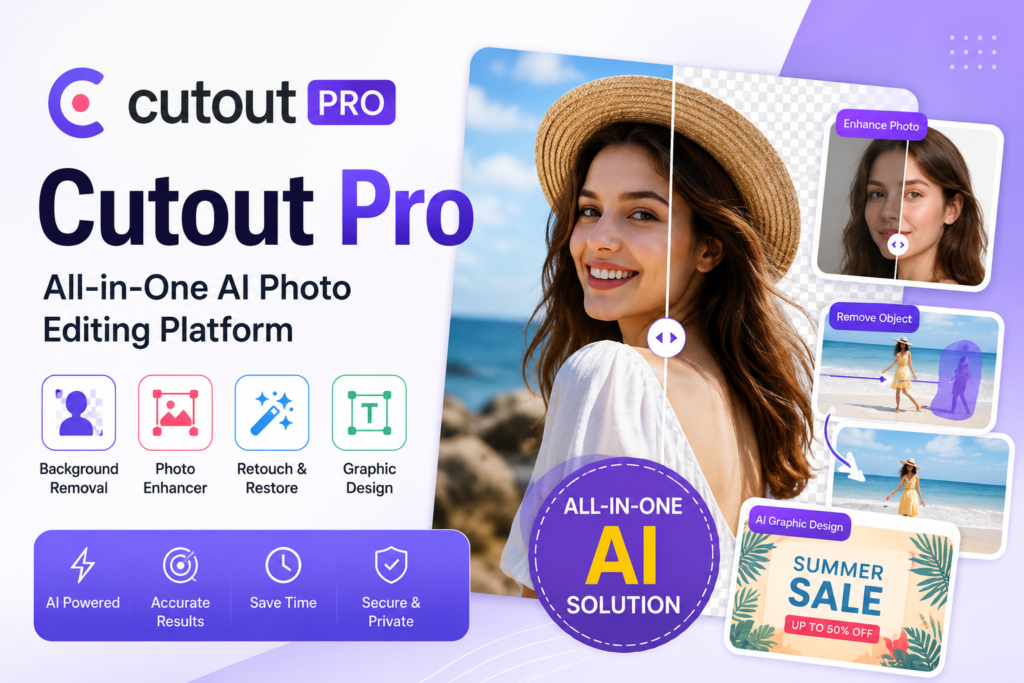
What is Cutout Pro?
Cutout Pro is an AI-powered online platform that offers a wide range of visual content design tools. The platform uses artificial intelligence and computer vision technology to automate complex image and video editing tasks that would normally require professional skills and expensive software. Cutout Pro is designed for photographers, designers, e-commerce sellers, social media managers, marketers, and anyone who needs quick and professional editing solutions. The platform stands out because it combines multiple AI-powered tools in a single ecosystem. Users do not need to switch between different software or websites to handle various editing tasks. From removing backgrounds to enhancing image quality, generating AI avatars to editing videos, Cutout Pro aims to be a one-stop solution for all visual content needs. Cutout Pro has gained popularity due to its accuracy in handling complex tasks like hair detail preservation during background removal, which has traditionally been one of the most challenging aspects of image editing. The platform continues to expand its features and improve its AI models, making it a competitive option in the growing AI editing tools market.How Does Cutout Pro Work?
Using Cutout Pro is straightforward and user-friendly. The platform operates entirely online through a web browser, eliminating the need for software installation. Users can also access Cutout Pro through its mobile apps available for both Android and iOS devices. The process begins when users visit the Cutout Pro website and select the specific tool they want to use. After choosing a tool, users upload their image or video file. The AI then processes the content automatically and delivers the result within seconds. Most tasks that would take hours manually are completed in under a minute. For background removal, users simply upload an image and the AI automatically detects the subject and removes the background. The result can be downloaded with a transparent background or with a custom background applied. Similar to how online platforms like droven.io provide instant solutions through web browsers, Cutout Pro delivers professional editing results without requiring any technical expertise. The platform also offers an API for developers who want to integrate Cutout Pro's capabilities into their own applications. This makes it useful not just for individual users but also for businesses that need to handle large volumes of image processing automatically. Batch processing is another important aspect of how Cutout Pro works. Users can upload multiple files at once and process them all together, which is particularly useful for e-commerce sellers and content creators who deal with many images at once.Key Features of Cutout Pro
Cutout Pro offers an extensive range of features that cover various aspects of image and video editing. Here is a detailed look at what the platform provides. The background remover is the most popular feature of Cutout Pro. The AI accurately identifies the subject of an image and removes the background while preserving fine details like hair, fur, and complex edges. The tool works on photos of people, products, animals, and various other subjects. The photo enhancer uses AI to improve image quality automatically. It can upscale low-resolution images, enhance details, reduce noise, and improve overall sharpness. This feature is excellent for restoring old photos or improving images for professional use. The AI photo editor includes various tools for retouching and enhancing photos. Users can smooth skin, whiten teeth, remove blemishes, and apply various other enhancements with just a few clicks. Cutout Pro offers an AI cartoon generator that transforms regular photos into cartoon-style images. The platform supports various cartoon styles, allowing users to create unique artistic versions of their photos. The video background remover applies the same AI technology to video content. Users can remove backgrounds from videos automatically, which is a task that traditionally requires expensive software and significant time investment. The AI passport photo maker helps users create compliant passport and ID photos quickly. The tool automatically removes backgrounds, adjusts sizing, and ensures the photo meets official requirements. The image to cartoon and image to anime features use AI to transform photos into different artistic styles. These are popular for creating profile pictures, avatars, and creative content. The AI avatar generator creates personalized avatars from user photos. This is particularly useful for creating consistent profile pictures across multiple platforms. The object removal tool allows users to remove unwanted objects, people, or elements from photos. The AI fills in the removed area naturally, making it look like the object was never there. The photo colorizer brings old black and white photos to life by adding realistic colors. This is excellent for restoring family photos and historical images. The image upscaler increases the resolution of images without losing quality. This AI-powered tool can transform small, low-quality images into high-resolution versions suitable for printing or professional use. The teeth whitener, eye color changer, and various other beauty tools help users perfect portrait photos quickly.Cutout Pro Pricing
Cutout Pro operates on a credit-based system combined with subscription plans. Users get a small number of free credits when they sign up, which allows them to test the platform before committing to a paid plan. The free plan provides limited credits and access to basic features. Free users can also download lower-resolution versions of their processed images. This is sufficient for occasional use but not enough for regular or professional work. Paid subscriptions are available in multiple tiers, ranging from basic plans for casual users to premium plans for businesses and heavy users. Subscriptions offer monthly credits that can be used across all the platform's tools. Higher tier plans provide more credits, access to all features, higher resolution downloads, and priority processing. Cutout Pro also offers pay-as-you-go credit packages for users who do not want a subscription. This is useful for those who only need to process images occasionally and do not want recurring charges. For businesses and developers, Cutout Pro offers API access with custom pricing based on usage volume. This enables integration with other software and automated processing workflows. The pricing is generally competitive when compared to other AI editing platforms. The combination of free credits and flexible payment options makes Cutout Pro accessible to various types of users.Pros and Cons of Cutout Pro
Every tool has its strengths and weaknesses. Here is an honest assessment of Cutout Pro in table format.| Pros of Cutout Pro | Cons of Cutout Pro |
|---|---|
| Multiple AI tools in one platform | Free plan has limited credits |
| Excellent background removal accuracy | Output quality varies by tool |
| Works in browser no installation needed | Some advanced features require higher plans |
| Mobile apps for Android and iOS | Processing can be slow during peak hours |
| Preserves fine details like hair and fur | High resolution downloads need paid plan |
| Batch processing capability | Subscription costs add up over time |
| API available for developers | Some AI tools produce inconsistent results |
| User friendly interface for beginners | Limited customization options |
| Fast processing times for most tasks | Watermarks on free plan downloads |
| Wide range of features for various needs | Customer support response can be slow |
| Regular updates and new features | Credit system can be confusing for new users |
| Video editing capabilities included | Limited control over AI processing |
Comparison Table: Cutout Pro vs Other AI Image Editing Tools
Here is a detailed comparison of Cutout Pro with other popular AI editing platforms in the market.| Feature | Cutout Pro | Remove.bg | Canva | Photoroom | Fotor |
|---|---|---|---|---|---|
| Background Removal | Yes Excellent | Yes Specialized | Yes | Yes | Yes |
| Image Enhancement | Yes | No | Limited | Limited | Yes |
| Video Background Removal | Yes | No | Limited | Yes | No |
| Photo Colorization | Yes | No | No | No | Yes |
| AI Cartoon Generator | Yes | No | Limited | No | Limited |
| Object Removal | Yes | No | Yes | Yes | Yes |
| Photo Upscaler | Yes | No | No | No | Yes |
| Free Plan | Limited | Limited | Yes | Limited | Limited |
| Mobile App | Yes | No | Yes | Yes | Yes |
| API Available | Yes | Yes | Yes | Yes | Yes |
| Batch Processing | Yes | Yes | Limited | Yes | Yes |
| Output Quality | High | Very High | High | High | High |
| Pricing | Credit Based | Subscription | Freemium | Subscription | Freemium |
| Ease of Use | Easy | Very Easy | Medium | Easy | Medium |
| AI Avatar Generator | Yes | No | No | No | Yes |
Cutout Pro vs Remove.bg
Remove.bg is one of the most popular dedicated background removal tools available. It specializes exclusively in background removal and does it extremely well. When comparing Cutout Pro to Remove.bg, the main difference is the scope of features. Cutout Pro offers a much wider range of editing tools beyond just background removal. While Remove.bg may have a slight edge in pure background removal accuracy, Cutout Pro provides similar quality along with many other features. In terms of pricing, both platforms operate on credit-based systems. Remove.bg may be more cost-effective if you only need background removal, while Cutout Pro offers better value for users who need multiple editing capabilities. For users who need a comprehensive editing toolkit, Cutout Pro is the better choice. For those who only need background removal occasionally, Remove.bg might be more suitable.Cutout Pro vs Canva
Canva is a comprehensive design platform that includes some AI features. The comparison between Cutout Pro and Canva is interesting because they serve different primary purposes. Canva is primarily a design tool with editing features added on. Cutout Pro is primarily an AI editing tool that focuses on image transformation tasks. Canva is better for creating designs, presentations, and marketing materials from scratch. Cutout Pro is better when you need to enhance, modify, or transform existing images using AI. The platforms can actually complement each other well, with users editing images in Cutout Pro and then using them in Canva designs. For users who need both design capabilities and AI editing, using both platforms is a reasonable approach. Similar to how educators use multiple tools like mindgrasp ai alongside other resources, designers often combine multiple tools for the best results.Cutout Pro vs Photoroom
Photoroom is another popular AI-powered photo editing tool that competes directly with Cutout Pro. Photoroom focuses heavily on product photography and e-commerce use cases. Photoroom has excellent features for creating product photos, including background generators specifically designed for e-commerce. Cutout Pro offers similar features but with a broader scope that includes portrait editing, video processing, and creative transformations. For e-commerce sellers, Photoroom might offer more specialized tools. For users with diverse editing needs, Cutout Pro provides better overall value. Both platforms have mobile apps and offer subscription-based pricing.Is Cutout Pro Safe to Use?
Safety and privacy are important considerations when using any online tool that processes personal photos. Cutout Pro processes uploaded files on its servers, which means user images are temporarily stored on their infrastructure. According to Cutout Pro's privacy policy, uploaded files are processed securely and are typically deleted after a certain period. However, users should always exercise caution when uploading sensitive or personal images to any online platform. The platform uses encryption to protect data transmission between user devices and their servers. This helps prevent interception of images during the upload and download process. For business users handling client photos or sensitive content, it is important to review Cutout Pro's terms of service and privacy policy carefully. Consider whether the platform meets your organization's data protection requirements before using it for professional work. The mobile apps from Cutout Pro should be downloaded only from official sources like Google Play Store and Apple App Store to ensure you are getting the legitimate application without any modifications or malware.Who Should Use Cutout Pro?
Cutout Pro is suitable for a wide range of users across different industries and use cases. Understanding who benefits most can help you decide if this platform is right for you. E-commerce sellers who need to create clean product photos with white or custom backgrounds will find Cutout Pro extremely useful. The batch processing capability is particularly valuable for sellers with large product catalogs. Social media managers and content creators who need to produce visual content regularly can benefit from Cutout Pro's wide range of features. Similar to how users of platforms like instapv manage their visual content needs, Cutout Pro provides the editing tools needed to create engaging social media content. Photographers who want to speed up their editing workflow can use Cutout Pro for tasks like background removal, photo enhancement, and object removal. While professional photographers may still use advanced software for detailed work, Cutout Pro is excellent for quick edits. Small business owners who need professional-looking marketing materials but cannot afford to hire designers can use Cutout Pro to create their own visuals. The platform's ease of use makes it accessible even for those without design experience. Marketing professionals who need to create various types of visual content can use Cutout Pro to handle multiple editing tasks from a single platform. This saves time compared to using multiple different tools. Students and freelancers who need affordable editing solutions will find Cutout Pro's pricing reasonable. The free plan allows for testing and occasional use, while paid plans are accessible for regular users. Web designers and bloggers who need to prepare images for their websites can use Cutout Pro for various tasks including background removal, image enhancement, and resizing. However, professional graphic designers and photographers who need precise control over every aspect of their editing may find Cutout Pro limiting. They would be better served by professional software like Adobe Photoshop or specialized AI plugins.Cutout Pro Alternatives
If Cutout Pro does not meet your specific needs, several alternatives are worth considering. Remove.bg is the leading specialized background removal tool with excellent accuracy. It is perfect for users who primarily need this single feature. Canva offers a comprehensive design platform with AI features included. It is better for users who need design capabilities alongside editing tools. Photoroom is excellent for e-commerce sellers who need specialized product photography tools. It offers AI-powered background generation and product photo creation. Fotor provides a similar all-in-one approach to image editing with various AI tools. It is a direct competitor to Cutout Pro with comparable features and pricing. Adobe Photoshop with Adobe Firefly integration offers professional-grade AI editing capabilities. It is the choice for professionals who need advanced control and precision. Pixlr is another web-based editor that offers AI features alongside traditional editing tools. It provides a good balance between simplicity and capability. For users exploring various creative tools and platforms, resources like totonavi can help in discovering new options that suit specific editing needs. For those interested in combining AI image editing with other AI capabilities, platforms like deepseekplay com offer additional AI tools that can complement Cutout Pro for various creative projects.Tips for Getting the Best Results from Cutout Pro
To maximize the benefits of using Cutout Pro, here are some practical tips that can help you get the best possible results. Start with high-quality input images. The AI works better with clear, well-lit photos. Low-resolution or blurry images will produce lower-quality results regardless of the AI's capabilities. Use the right tool for the job. Cutout Pro has many specialized tools, and choosing the most appropriate one for your task will yield better results than using a general tool. Test the free credits before subscribing. Use the free plan to test all the tools you might need before committing to a paid subscription. This helps you understand which features you will actually use. Process images in batches when possible. The batch processing feature saves significant time when you have multiple images to edit. Organize your files beforehand to make batch processing more efficient. Download in the highest resolution available for your plan. The output quality depends on the resolution settings, so always choose the maximum quality available for important projects. Combine multiple tools for complex edits. For example, you might use the background remover first, then the photo enhancer, and finally apply a new background. Chaining tools together can produce professional results. Review and adjust the AI output. While Cutout Pro's AI is impressive, it is not perfect. Always review the results and use manual editing tools to fix any imperfections. Save your favorite settings and workflows. If you regularly use Cutout Pro for similar tasks, develop consistent workflows that save time and ensure quality. Use the mobile apps for on-the-go editing. The mobile apps are convenient for quick edits when you are not at your computer. Stay updated with new features. Cutout Pro regularly adds new tools and improvements. Check the platform periodically to discover features that might be useful for your work.Common Use Cases for Cutout Pro
Cutout Pro is used across various industries and project types. Understanding common use cases can help you see how the platform might fit your specific needs. E-commerce product photography is one of the most common use cases. Sellers use Cutout Pro to create clean product images with white or transparent backgrounds suitable for online stores like Amazon, eBay, and Shopify. Social media content creation benefits from Cutout Pro's various tools. Creators can produce eye-catching posts, stories, and profile pictures using the AI editing capabilities. Marketing material design uses Cutout Pro to create professional visuals for ads, brochures, websites, and presentations. The combination of background removal and image enhancement helps create polished marketing assets. Portrait photography editing is enhanced by Cutout Pro's beauty tools. Photographers can quickly retouch portraits, smooth skin, and enhance facial features for professional results. Old photo restoration is another popular use case. The photo colorizer and enhancer tools can breathe new life into old family photos, making them look fresh and vibrant. ID and passport photo creation is simplified with Cutout Pro's specialized tool. Users can create compliant photos quickly without visiting a photo studio. Video content creation benefits from the video background remover, allowing creators to produce professional-looking videos with custom backgrounds. Creative artwork generation uses the cartoon and avatar generators to create unique artistic content for various purposes including profile pictures and social media posts.Final Verdict on Cutout Pro
Cutout Pro is a comprehensive AI-powered editing platform that offers tremendous value for users with diverse editing needs. The combination of multiple specialized tools in a single platform makes it a convenient choice for those who want to handle various editing tasks without switching between different applications. The platform excels in background removal accuracy, particularly for challenging subjects with fine details like hair. The wide range of features including photo enhancement, object removal, video editing, and creative transformations covers most editing needs that everyday users encounter. However, Cutout Pro is not without its limitations. The credit-based system can be confusing for new users, and the costs can add up for heavy users. Some specialized tools may not match the quality of dedicated platforms, and the AI output can sometimes be inconsistent. The platform is best suited for small to medium-sized businesses, content creators, e-commerce sellers, and individual users who need a versatile editing toolkit without the complexity of professional software. For users who only need a single specific feature, dedicated tools might offer better value. Overall, Cutout Pro earns a score of 8 out of 10. It represents excellent value as an all-in-one AI editing platform with continuous improvements and feature additions. The combination of accessibility, functionality, and affordability makes it a strong contender in the growing AI editing tools market. For users looking for a versatile AI-powered editing solution that can handle multiple types of tasks, Cutout Pro deserves serious consideration. The platform continues to evolve with new features and improvements, making it a reliable long-term choice for visual content editing needs.Cutout Pro Review 2026: Features, Tools, Pros, Cons and Alternatives
Image editing has become an essential skill in the digital age, but not everyone has the time or expertise to master professional editing software. This is where AI-powered tools come into play, making complex editing tasks accessible to everyone. Cutout Pro is one such platform that has gained significant attention for its AI-powered image and video editing capabilities. From background removal to photo enhancement, Cutout Pro promises to handle various editing tasks with just a few clicks. But does it really deliver on its promises? In this detailed review, we will cover everything about Cutout Pro including its features, pricing, pros, cons, and how it compares to other AI editing tools available in the market.What is Cutout Pro?
Cutout Pro is an AI-powered online platform that offers a wide range of visual content design tools. The platform uses artificial intelligence and computer vision technology to automate complex image and video editing tasks that would normally require professional skills and expensive software. Cutout Pro is designed for photographers, designers, e-commerce sellers, social media managers, marketers, and anyone who needs quick and professional editing solutions. The platform stands out because it combines multiple AI-powered tools in a single ecosystem. Users do not need to switch between different software or websites to handle various editing tasks. From removing backgrounds to enhancing image quality, generating AI avatars to editing videos, Cutout Pro aims to be a one-stop solution for all visual content needs. Cutout Pro has gained popularity due to its accuracy in handling complex tasks like hair detail preservation during background removal, which has traditionally been one of the most challenging aspects of image editing. The platform continues to expand its features and improve its AI models, making it a competitive option in the growing AI editing tools market.How Does Cutout Pro Work?
Using Cutout Pro is straightforward and user-friendly. The platform operates entirely online through a web browser, eliminating the need for software installation. Users can also access Cutout Pro through its mobile apps available for both Android and iOS devices. The process begins when users visit the Cutout Pro website and select the specific tool they want to use. After choosing a tool, users upload their image or video file. The AI then processes the content automatically and delivers the result within seconds. Most tasks that would take hours manually are completed in under a minute. For background removal, users simply upload an image and the AI automatically detects the subject and removes the background. The result can be downloaded with a transparent background or with a custom background applied. Similar to how online platforms like droven.io provide instant solutions through web browsers, Cutout Pro delivers professional editing results without requiring any technical expertise. The platform also offers an API for developers who want to integrate Cutout Pro's capabilities into their own applications. This makes it useful not just for individual users but also for businesses that need to handle large volumes of image processing automatically. Batch processing is another important aspect of how Cutout Pro works. Users can upload multiple files at once and process them all together, which is particularly useful for e-commerce sellers and content creators who deal with many images at once.Key Features of Cutout Pro
Cutout Pro offers an extensive range of features that cover various aspects of image and video editing. Here is a detailed look at what the platform provides. The background remover is the most popular feature of Cutout Pro. The AI accurately identifies the subject of an image and removes the background while preserving fine details like hair, fur, and complex edges. The tool works on photos of people, products, animals, and various other subjects. The photo enhancer uses AI to improve image quality automatically. It can upscale low-resolution images, enhance details, reduce noise, and improve overall sharpness. This feature is excellent for restoring old photos or improving images for professional use. The AI photo editor includes various tools for retouching and enhancing photos. Users can smooth skin, whiten teeth, remove blemishes, and apply various other enhancements with just a few clicks. Cutout Pro offers an AI cartoon generator that transforms regular photos into cartoon-style images. The platform supports various cartoon styles, allowing users to create unique artistic versions of their photos. The video background remover applies the same AI technology to video content. Users can remove backgrounds from videos automatically, which is a task that traditionally requires expensive software and significant time investment. The AI passport photo maker helps users create compliant passport and ID photos quickly. The tool automatically removes backgrounds, adjusts sizing, and ensures the photo meets official requirements. The image to cartoon and image to anime features use AI to transform photos into different artistic styles. These are popular for creating profile pictures, avatars, and creative content. The AI avatar generator creates personalized avatars from user photos. This is particularly useful for creating consistent profile pictures across multiple platforms. The object removal tool allows users to remove unwanted objects, people, or elements from photos. The AI fills in the removed area naturally, making it look like the object was never there. The photo colorizer brings old black and white photos to life by adding realistic colors. This is excellent for restoring family photos and historical images. The image upscaler increases the resolution of images without losing quality. This AI-powered tool can transform small, low-quality images into high-resolution versions suitable for printing or professional use. The teeth whitener, eye color changer, and various other beauty tools help users perfect portrait photos quickly.Cutout Pro Pricing
Cutout Pro operates on a credit-based system combined with subscription plans. Users get a small number of free credits when they sign up, which allows them to test the platform before committing to a paid plan. The free plan provides limited credits and access to basic features. Free users can also download lower-resolution versions of their processed images. This is sufficient for occasional use but not enough for regular or professional work. Paid subscriptions are available in multiple tiers, ranging from basic plans for casual users to premium plans for businesses and heavy users. Subscriptions offer monthly credits that can be used across all the platform's tools. Higher tier plans provide more credits, access to all features, higher resolution downloads, and priority processing. Cutout Pro also offers pay-as-you-go credit packages for users who do not want a subscription. This is useful for those who only need to process images occasionally and do not want recurring charges. For businesses and developers, Cutout Pro offers API access with custom pricing based on usage volume. This enables integration with other software and automated processing workflows. The pricing is generally competitive when compared to other AI editing platforms. The combination of free credits and flexible payment options makes Cutout Pro accessible to various types of users.Pros and Cons of Cutout Pro
Every tool has its strengths and weaknesses. Here is an honest assessment of Cutout Pro in table format.| Pros of Cutout Pro | Cons of Cutout Pro |
|---|---|
| Multiple AI tools in one platform | Free plan has limited credits |
| Excellent background removal accuracy | Output quality varies by tool |
| Works in browser no installation needed | Some advanced features require higher plans |
| Mobile apps for Android and iOS | Processing can be slow during peak hours |
| Preserves fine details like hair and fur | High resolution downloads need paid plan |
| Batch processing capability | Subscription costs add up over time |
| API available for developers | Some AI tools produce inconsistent results |
| User friendly interface for beginners | Limited customization options |
| Fast processing times for most tasks | Watermarks on free plan downloads |
| Wide range of features for various needs | Customer support response can be slow |
| Regular updates and new features | Credit system can be confusing for new users |
| Video editing capabilities included | Limited control over AI processing |
Comparison Table: Cutout Pro vs Other AI Image Editing Tools
Here is a detailed comparison of Cutout Pro with other popular AI editing platforms in the market.| Feature | Cutout Pro | Remove.bg | Canva | Photoroom | Fotor |
|---|---|---|---|---|---|
| Background Removal | Yes Excellent | Yes Specialized | Yes | Yes | Yes |
| Image Enhancement | Yes | No | Limited | Limited | Yes |
| Video Background Removal | Yes | No | Limited | Yes | No |
| Photo Colorization | Yes | No | No | No | Yes |
| AI Cartoon Generator | Yes | No | Limited | No | Limited |
| Object Removal | Yes | No | Yes | Yes | Yes |
| Photo Upscaler | Yes | No | No | No | Yes |
| Free Plan | Limited | Limited | Yes | Limited | Limited |
| Mobile App | Yes | No | Yes | Yes | Yes |
| API Available | Yes | Yes | Yes | Yes | Yes |
| Batch Processing | Yes | Yes | Limited | Yes | Yes |
| Output Quality | High | Very High | High | High | High |
| Pricing | Credit Based | Subscription | Freemium | Subscription | Freemium |
| Ease of Use | Easy | Very Easy | Medium | Easy | Medium |
| AI Avatar Generator | Yes | No | No | No | Yes |