
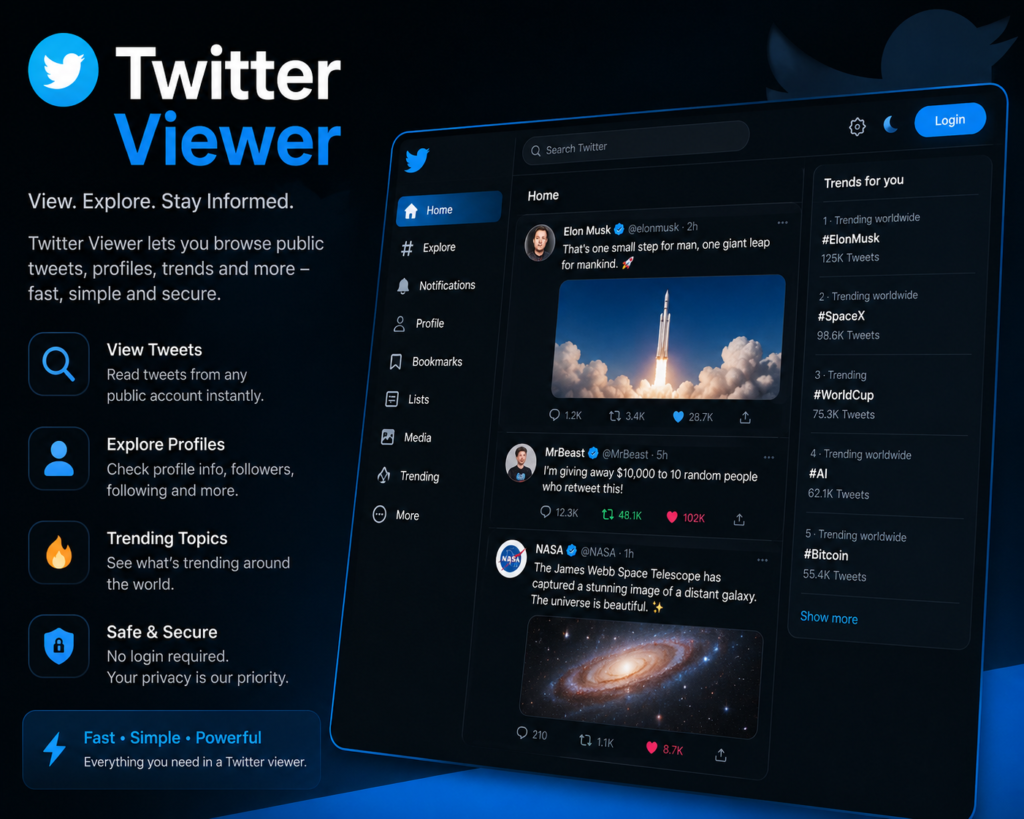
Twitter Viewer Review 2026

Twitter Viewer Tool Overview
Twitter, now rebranded as X, remains one of the most influential social media platforms in the world. Many users want to browse Twitter content without having an account or want to view profiles anonymously. This is where Twitter viewer tools come into the picture. Twitter viewer platforms allow users to access tweets, profiles, and other Twitter content without logging in or even having an account. But which Twitter viewer is the best and is it safe to use these tools? In this detailed review, we will cover everything about Twitter viewer tools including their features, how they work, pros, cons, legal considerations, and the best alternatives available in 2026.

What is a Twitter Viewer?

A Twitter viewer is an online tool or website that allows users to view Twitter content without needing to log in or create a Twitter account. These tools work by accessing publicly available Twitter data and presenting it in a readable format for users. Twitter viewers became particularly important after Twitter made several changes to its platform, including restricting access to non-logged-in users. Many users who do not want to create accounts or who want to maintain privacy turned to these third-party tools to continue accessing Twitter content. These tools are designed for journalists, researchers, marketers, privacy-conscious users, and anyone who wants to browse Twitter content anonymously. Twitter viewer tools have become essential for those who need to monitor public discussions, research trends, or simply read tweets without engaging with the platform directly. The technology behind Twitter viewers varies, with some using official Twitter APIs while others use web scraping techniques to gather publicly available data. The legal landscape around these tools is complex and continues to evolve as Twitter changes its policies.

How Does a Twitter Viewer Work?

Twitter viewer tools generally work in a straightforward manner from the user's perspective. Users visit the Twitter viewer website and either enter a Twitter username or paste a tweet URL. The tool then fetches the requested content and displays it in a clean, readable format. Behind the scenes, these tools use different technical approaches to access Twitter data. Some legitimate viewers use the Twitter API, which requires authentication and follows Twitter's terms of service. Others use web scraping methods that extract publicly visible content from Twitter pages without using the official API. Most Twitter viewers do not require users to create accounts or provide any personal information. This anonymous access is one of the main appeals of these tools. Users can browse tweets, view profiles, see media content, and read replies without leaving any trace on Twitter's platform. The interface of Twitter viewers is typically simpler than the official Twitter platform. There are no ads, no algorithmic timelines, and no distracting features. The focus is purely on viewing content. This stripped-down approach is appreciated by users who find the official Twitter interface cluttered. The simplicity is similar to other clean platforms like droven.io that focus on delivering content without unnecessary distractions. Some advanced Twitter viewers offer additional features like downloading media, searching for specific tweets, viewing deleted content from cached versions, and accessing historical tweet data.

Key Features of Twitter Viewer Tools

Twitter viewer tools offer various features that make them attractive alternatives to using Twitter directly. Here is a detailed look at the common features available. Anonymous browsing is the primary feature of most Twitter viewer tools. Users can view tweets, profiles, and replies without logging in or creating an account. This provides complete anonymity for those who want to monitor Twitter content without being tracked. Profile viewing allows users to see Twitter profiles including bio information, follower counts, follower lists, following lists, and recent tweets. This is useful for research, journalism, and competitive analysis. Tweet viewing capability lets users read individual tweets, threads, and conversations. Most viewers display tweets in chronological order rather than using Twitter's algorithm, providing a more straightforward reading experience. Media downloading is a popular feature of many Twitter viewers. Users can download images, videos, and GIFs from tweets directly to their devices. This is useful for content creators, journalists, and researchers who need to archive media. Search functionality on advanced Twitter viewers allows users to search for specific keywords, hashtags, or users across Twitter. Some viewers offer advanced search options with date ranges, language filters, and content type filters. Thread viewing presents Twitter threads in a readable format. Long threads can be difficult to follow on the official Twitter platform, but Twitter viewers often display them as continuous articles for easier reading. The ad-free experience is another major attraction. Twitter viewers do not show promoted tweets, sponsored content, or display ads, providing a cleaner browsing experience. Some Twitter viewers offer real-time updates, allowing users to see new tweets as they are posted. This is particularly useful for monitoring breaking news or live events. Privacy protection is built into most Twitter viewers. They do not track users, do not require accounts, and do not store browsing history. This makes them appealing to privacy-conscious users. Mobile compatibility is standard for most Twitter viewers. The tools work well on smartphones and tablets, allowing users to view Twitter content on any device.

Popular Twitter Viewer Tools in 2026

Several Twitter viewer tools have gained popularity over the years. Here are some of the most commonly used options in 2026. Nitter is one of the most well-known Twitter viewer alternatives. It is an open-source platform that provides a clean interface for viewing Twitter content without ads or tracking. Multiple Nitter instances exist online, run by different communities. Twstalker offers profile viewing and tweet browsing capabilities. Users can search for usernames and view recent activity without logging in. Tweetdeck used to be a popular Twitter viewing and management tool but is now restricted to paying users after Twitter changes. Various web-based Twitter viewers continue to emerge, though many face challenges due to Twitter's evolving policies on third-party access. Users often need to try multiple options to find one that works reliably. Browser extensions also exist that enhance the Twitter viewing experience or provide alternative ways to access content without logging in.

Pros and Cons of Twitter Viewer Tools

Every tool has its advantages and limitations. Here is an honest assessment of Twitter viewer tools in table format.
Pros of Twitter Viewer Cons of Twitter Viewer
Anonymous access to Twitter content Reliability issues due to Twitter restrictions
No account creation required Cannot interact with tweets like, reply, retweet
Clean ad-free browsing experience Some features may not work consistently
Privacy protection from tracking Possible legal gray area with terms of service
Easy to use simple interface Limited search capabilities on some tools
Free to use most platforms Tools may shut down without warning
Media download capabilities Cannot view protected or private accounts
Faster loading than official Twitter No notifications for new content
Works without Twitter app Inconsistent display of media content
Useful for research and journalism Some viewers contain ads or trackers
Mobile friendly access Cannot see real time engagement metrics
Helpful for those with banned accounts Limited or no access to direct messages

Comparison Table: Twitter Viewer Tools

Here is a detailed comparison of different Twitter viewer tools available in the market.
Feature Nitter Twstalker Web Viewers Browser Extensions Official Twitter
Account Required No No No Varies Yes
Anonymous Browsing Yes Yes Yes Partial No
Ad Free Yes Limited Varies Yes No
Mobile Support Yes Yes Yes Limited Yes
Media Download Yes Yes Some Some Limited
Profile Viewing Yes Yes Yes Yes Yes
Tweet Search Limited Limited Some Yes Yes
Thread View Yes Limited Some Yes Yes
Reliability Medium Medium Variable Variable High
Speed Fast Medium Variable Fast Medium
Privacy Protection High Medium Variable Medium Low
Cost Free Free Free Mostly Free Free with Limits
API Based No Yes Mixed Mixed Native
Real Time Updates Limited Limited Limited Yes Yes
Interaction Features None None None Some Full

Why Use a Twitter Viewer?

There are several legitimate reasons why users prefer Twitter viewers over the official Twitter platform. Understanding these reasons can help you decide if a Twitter viewer is right for your needs. Privacy concerns are a major motivation for many users. Twitter collects significant amounts of user data, including browsing history, interaction patterns, and personal information. Twitter viewers eliminate this data collection, providing genuinely anonymous browsing. Research and journalism often require monitoring Twitter without bias from algorithmic feeds or personalization. Twitter viewers provide a neutral view of content, making them valuable tools for professional researchers and journalists. Banned or suspended users often turn to Twitter viewers to continue accessing public content on the platform. While they cannot interact with tweets, they can still read and consume content. Avoiding distractions is another reason. The official Twitter interface includes many features designed to maximize engagement, which can be distracting. Twitter viewers provide a focused reading experience. Bypassing geographic restrictions can be useful for users in countries where Twitter is blocked or restricted. Some Twitter viewers work as proxies, allowing access to content that would otherwise be unavailable. Saving data and battery life on mobile devices is another benefit. Twitter viewers typically use less data and battery than the official Twitter app, which is heavy with features and media. Educational purposes including studying social media trends, monitoring public sentiment, or analyzing communication patterns benefit from the unfiltered access provided by Twitter viewers. Similar to how students use various learning platforms like mindgrasp ai for educational research, Twitter viewers serve as research tools for social media studies.

Legal and Ethical Considerations

Using Twitter viewer tools raises some important legal and ethical questions that users should consider before using them. Twitter's terms of service generally prohibit unauthorized access to its platform through methods other than the official API or website. Using third-party tools that scrape data may technically violate these terms, even if the data being accessed is publicly available. The legal landscape around web scraping and third-party access to social media platforms is complex and varies by jurisdiction. Courts in different countries have made varying rulings on the legality of accessing publicly available data through automated means. Ethical considerations also come into play. While Twitter viewers can be used for legitimate purposes like research and journalism, they could also be used for stalking, harassment, or other harmful activities. Users should always use these tools responsibly and ethically. Privacy of Twitter users is another consideration. Even though tweets and profiles may be publicly accessible, users who post content typically expect interaction within the Twitter ecosystem. Viewing their content through third-party tools changes this dynamic. Copyright issues can arise when downloading media from Twitter through viewer tools. Original creators retain copyright to their content, and downloading and redistributing it without permission could lead to legal issues. Always check the laws in your jurisdiction and the terms of service of any Twitter viewer tool you use. Use these tools responsibly and respect the privacy and intellectual property rights of others.

Is Twitter Viewer Safe to Use?

Safety is an important consideration when using any third-party tool. Twitter viewers vary significantly in terms of safety and trustworthiness. Reputable Twitter viewers like Nitter are generally safe to use. They are open source, which means their code can be inspected by anyone. They typically do not require personal information and do not install anything on your device. However, many lesser-known Twitter viewer websites may pose risks. Some may contain malware, intrusive ads, or tracking scripts that compromise user privacy. Others may attempt to phish for personal information or credentials. To use Twitter viewers safely, follow these guidelines. Stick to well-known and reputable viewer tools with established reputations. Use ad blockers and privacy-focused browsers to protect against tracking and malicious ads. Never enter Twitter credentials into any third-party tool, as legitimate viewers do not require login information. Be cautious of viewers that request unusual permissions or ask for personal information. Consider using a VPN for additional privacy when accessing Twitter viewer tools. This adds an extra layer of protection between you and the website you are visiting. Browser extensions claiming to enhance Twitter viewing should be evaluated carefully. Check reviews, permissions requested, and developer reputation before installing any extension.

Who Should Use Twitter Viewer Tools?

Twitter viewer tools are suitable for various types of users. Understanding who benefits most can help you decide if these tools are right for you. Journalists and reporters who need to monitor Twitter for breaking news, statements from public figures, and trending topics can benefit greatly from Twitter viewer tools. The anonymous access allows them to research stories without bias from algorithmic feeds. Researchers studying social media trends, public opinion, political discourse, or other topics that involve Twitter data find viewer tools invaluable. The ability to browse content without an account simplifies research workflows. Privacy-conscious users who want to access Twitter content without contributing to Twitter's data collection benefit from these tools. They provide a way to consume Twitter content without becoming part of the platform's user base. Marketers and business professionals who need to monitor competitors, industry trends, or customer sentiment on Twitter can use viewer tools effectively. Similar to how users of platforms like instapv monitor social media for marketing insights, Twitter viewers serve a similar purpose. Students and academics who need to access Twitter content for research papers, essays, or academic projects find viewer tools helpful, especially when they do not want to create accounts just for occasional access. People with banned Twitter accounts who still want to read public content can use viewer tools to maintain access to information shared on the platform. Casual users who occasionally want to check a Twitter profile or read a viral tweet without creating an account benefit from the simplicity of these tools. However, active Twitter users who want to engage with content, follow people, send messages, or build a presence on the platform need the official Twitter app or website. Twitter viewers do not support these interactive features.

Twitter Viewer Alternatives

If Twitter viewer tools do not meet your needs, several alternatives are worth considering. Creating a Twitter account remains the most reliable way to access Twitter content. The official platform provides full functionality including interaction features, personalized feeds, and notifications. Other social media platforms like Mastodon, Bluesky, and Threads have emerged as Twitter alternatives. These platforms offer similar functionality with different approaches to content moderation and user privacy. RSS readers can be used to follow Twitter accounts through services that convert tweets to RSS feeds. This provides another way to consume Twitter content without using the official platform. News aggregator websites often compile important tweets from public figures and journalists, providing curated Twitter content without requiring access to Twitter itself. For users exploring various social media monitoring tools, resources like totonavi can help in discovering platforms that suit specific needs for social media analysis. Professional social media monitoring tools like Hootsuite, Sprout Social, and Brandwatch offer comprehensive Twitter monitoring capabilities for business users. These tools come with subscription costs but provide more advanced features than free viewers. For those who need AI-enhanced analysis of social media content, platforms like deepseekplay com and similar AI tools can help process and analyze Twitter data collected through viewer tools.

Tips for Using Twitter Viewer Tools Effectively

To get the most out of Twitter viewer tools, here are some practical tips that can enhance your experience. Bookmark multiple Twitter viewer tools because they can be unreliable. Having alternatives ready ensures you can still access content if your preferred tool stops working. Use the search function effectively by being specific with keywords, hashtags, and usernames. Generic searches return too much content, while specific queries yield more relevant results. Take advantage of media download features when you need to save important images or videos for reference. Make sure to respect copyright and only use downloaded content appropriately. Use browser bookmarks for frequently visited Twitter profiles to quickly access them through viewer tools without typing usernames each time. Combine multiple viewer tools for different purposes. One viewer might be better for searching, while another might be better for downloading media or viewing threads. Be patient with loading times as some Twitter viewers can be slower than the official platform due to the way they access data. Use browser extensions like uBlock Origin and Privacy Badger to enhance the security and privacy of your Twitter viewer experience. Stay updated with which Twitter viewer tools are currently working since the landscape changes frequently due to Twitter's policy changes and platform updates. Document important content quickly when you find it, as tweets can be deleted at any time and viewer tools may not be able to access deleted content.

Common Issues and Solutions

Users of Twitter viewer tools often encounter certain common issues. Here are some problems and their solutions. Loading errors are common when Twitter changes its platform structure. Try alternative viewers or wait for the tool developers to update their code. Slow loading times can be addressed by using viewers with better infrastructure or trying during off-peak hours. Missing media content sometimes occurs when viewers cannot access certain types of files. Try different viewers or use the official Twitter platform for those specific tweets. Inability to view protected accounts is a limitation of all Twitter viewers. Protected accounts can only be viewed by approved followers through the official platform. Search not returning expected results can sometimes be fixed by using more specific search terms or trying different viewer tools with better search capabilities. Pages not displaying correctly may indicate the viewer has not updated for recent Twitter changes. Look for active maintenance and consider switching to actively maintained alternatives.

Final Verdict on Twitter Viewer Tools

Twitter viewer tools serve an important role in the modern internet landscape. They provide anonymous access to public Twitter content for users who do not want to create accounts or share their data with Twitter. The privacy benefits, ad-free experience, and clean interfaces make them attractive alternatives to the official Twitter platform. However, these tools come with significant limitations. The reliability issues, inability to interact with content, and legal gray areas mean they are not suitable for all users. Active social media participants who want to engage with the Twitter community will need the official platform. The future of Twitter viewer tools is uncertain. Twitter continues to make changes that affect third-party access, and many viewer tools have shut down or become unreliable as a result. The ongoing battle between Twitter and third-party developers makes it difficult to predict which tools will remain available. For users who need anonymous, read-only access to Twitter content, viewer tools remain valuable resources despite their limitations. For privacy-conscious users, journalists, researchers, and casual viewers, these tools offer significant benefits over the official platform. Overall, Twitter viewer tools earn a score of 7 out of 10. They serve their purpose well when they work reliably, but the inconsistency and limitations prevent them from being a complete replacement for the official Twitter platform. Users should approach these tools with realistic expectations and have backup options ready for when their preferred viewer becomes unavailable. The key to making the most of Twitter viewer tools is understanding their strengths and limitations. Use them for what they do well, which is anonymous content viewing, and turn to other solutions when you need interactive features or guaranteed reliability.

Leave a Reply

Your email address will not be published. Required fields are marked *