
What is WSUP AI?
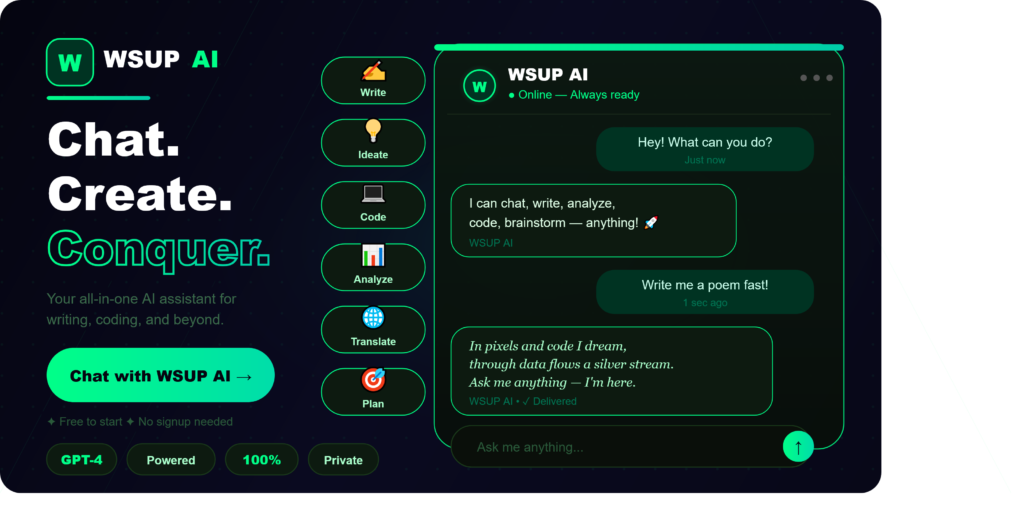
WSUP AI is an artificial intelligence powered assistant that operates directly within WhatsApp, allowing users to access powerful AI capabilities without leaving their favorite messaging app. The platform combines the convenience of WhatsApp with the intelligence of leading AI models like GPT, Claude, and Gemini, creating a seamless experience for users who want AI assistance on the go. WSUP AI functions as a smart contact in your WhatsApp that can answer questions, generate content, create images, transcribe voice messages, summarize documents, translate languages, and perform many other tasks through simple chat messages. The tool eliminates the need to switch between multiple applications, making AI accessible to anyone who can use WhatsApp. This approach is similar to how Joyland AI brings AI interactions into accessible chat formats, but WSUP AI focuses specifically on practical productivity within WhatsApp.How Does WSUP AI Work?
The working mechanism of WSUP AI is designed to be incredibly simple and user-friendly. Here is a step-by-step breakdown of how the platform operates:- Users visit the WSUP AI website and sign up for an account using their phone number.
- They save the WSUP AI WhatsApp number as a contact on their phone.
- Users start a conversation with WSUP AI just like chatting with any friend.
- They send queries, voice messages, images, or documents to the AI assistant.
- WSUP AI processes the input using advanced AI models running in the cloud.
- The platform returns responses within seconds directly in the WhatsApp chat.
- Users can have ongoing conversations with context awareness across multiple messages.
- Premium users get access to advanced features like image generation, document analysis, and voice cloning.
Key Features of WSUP AI in 2026
WSUP AI has expanded its feature set significantly in 2026 to compete in the growing AI assistant market. Here are the main features that make WSUP AI stand out: Multi-Model AI Access: WSUP AI gives users access to multiple leading AI models including GPT-4o, Claude 3.5, Gemini Pro, and other specialized models through a single WhatsApp interface. Voice Message Transcription: Users can send voice messages and receive accurate text transcriptions in multiple languages, perfect for hands-free interaction. AI Image Generation: The platform integrates with leading image generation models to create custom images from text descriptions directly in WhatsApp. Document Analysis: Users can send PDF, Word, and other document files to WSUP AI for summarization, analysis, and question answering about the content. Real-Time Translation: WSUP AI translates messages between over 100 languages instantly, breaking down communication barriers. Smart Reply Suggestions: The AI suggests intelligent replies for incoming messages, helping users respond faster and more effectively. Voice Response Mode: WSUP AI can respond with voice messages using natural sounding AI-generated voices for a more conversational experience. Image Recognition: Users can send photos to WSUP AI to identify objects, read text in images, analyze charts, or get descriptions of visual content. Web Search Integration: The platform can search the web in real-time to provide current information, news, and data on any topic. Conversation Memory: WSUP AI remembers context across conversations, allowing for natural follow-up questions and ongoing discussions. Email Drafting: Users can ask WSUP AI to draft professional emails, which can then be copied or sent directly through integrations. Calendar and Reminder Integration: The 2026 version includes integration with popular calendar apps for scheduling and reminder management. Multi-Language Support: WSUP AI works in over 100 languages, making it accessible to users worldwide. Group Chat Integration: The AI can be added to WhatsApp group chats to assist multiple users simultaneously. Custom AI Personas: Premium users can create custom AI personas with specific personalities and expertise areas for different use cases.How to Use WSUP AI: Step-by-Step Guide
Getting started with WSUP AI is incredibly simple. Follow these steps to begin using the platform: Step 1: Visit the official WSUP AI website using any web browser. Step 2: Sign up for an account by entering your phone number and verifying it through WhatsApp. Step 3: Choose between the free plan or one of the premium subscription tiers based on your needs. Step 4: Save the WSUP AI WhatsApp number provided after registration as a contact on your phone. Step 5: Open WhatsApp and start a new chat with the WSUP AI contact. Step 6: Send a greeting message to initialize the AI assistant. Step 7: Start asking questions, requesting content, or sending files for analysis just like you would chat with a friend. Step 8: Use specific commands for advanced features like /image for image generation or /translate for translation services. Step 9: For voice messages, simply record and send your voice note, and WSUP AI will transcribe and respond. Step 10: Access your account dashboard on the website to manage subscriptions, view usage statistics, and customize settings.WSUP AI Pricing in 2026
WSUP AI offers several pricing plans designed to suit different types of users from casual users to business professionals: Free Plan: Allows users to send up to 30 messages per month with access to basic AI features. Perfect for trying out the platform. Basic Plan: Priced at approximately $4.99 per month, this plan offers 500 messages per month, access to standard AI models, voice transcription, and basic image generation. Pro Plan: At around $14.99 per month, users get 2000 messages, access to all premium AI models, unlimited voice transcription, advanced image generation, document analysis, and priority response times. Business Plan: Available for approximately $39.99 per month, this tier provides unlimited messages, all features, custom AI personas, group chat support, API access, and team collaboration features. Enterprise Plan: Custom pricing for organizations with bespoke features, white-label options, dedicated support, and unlimited team members. Annual subscriptions typically offer a 25 to 35 percent discount compared to monthly billing. The pricing reflects the value of having multiple AI models accessible through one convenient interface.Who Should Use WSUP AI?
WSUP AI is designed for a diverse range of users who can benefit from AI assistance through WhatsApp: Busy Professionals: People who spend most of their day on WhatsApp can access AI assistance without switching apps, saving valuable time. Students: Students can use WSUP AI for research, homework help, document summarization, and quick answers to academic questions. Content Creators: Writers, bloggers, and social media managers can generate ideas, draft content, and create images directly in WhatsApp. Small Business Owners: Entrepreneurs can use WSUP AI for customer communication, content creation, and business research without expensive software subscriptions. International Communicators: People who frequently communicate across language barriers benefit from instant translation features. Elderly Users: The familiar WhatsApp interface makes AI accessible to users who might find dedicated AI applications complex. Travelers: International travelers can use WSUP AI for translations, recommendations, and information about destinations. Customer Service Teams: Businesses can integrate WSUP AI into their customer service workflows for handling common inquiries. Marketing Professionals: Marketing teams can use the AI for content creation, copywriting, and campaign ideation on the go. Researchers and Journalists: Quick access to information and document analysis makes WSUP AI valuable for research-heavy work.Is WSUP AI Safe and Secure?
Security and privacy are critical concerns when using any AI tool, especially one that operates through a messaging platform. Here is what users should know about WSUP AI safety in 2026: WSUP AI states that it does not store conversation content beyond what is necessary for providing the service. Messages are processed through secure encrypted channels, and the platform complies with major data protection regulations including GDPR and CCPA. However, users should be aware that WSUP AI is a third-party service that operates through WhatsApp. While WhatsApp itself provides end-to-end encryption for personal chats, conversations with WSUP AI are processed by the AI service, which means the content is visible to the WSUP AI servers during processing. Users should follow these safety practices when using WSUP AI: Avoid sharing sensitive personal information like passwords, bank details, or social security numbers. Be cautious about uploading confidential business documents unless you have verified the platform's security practices. Read the privacy policy thoroughly to understand how your data is used and stored. Use the platform for general productivity tasks rather than highly sensitive matters. Enable two-factor authentication on your WSUP AI account if available. Regularly review your account activity and reported usage. The platform has not had any major security incidents reported in 2026, which suggests reasonable security practices. Similar privacy considerations apply to other AI tools like Caveduck AI that involve sharing content with AI systems.WSUP AI Alternatives in 2026
While WSUP AI is a strong player in the WhatsApp AI assistant space, several alternatives offer similar functionality. Here are the top alternatives in 2026: Luzia: A popular AI assistant for WhatsApp with a large user base, especially in Spanish speaking countries, offering similar features to WSUP AI. Wati AI: Focused more on business use cases, Wati AI provides AI-powered customer communication tools through WhatsApp. MobileGPT: Another WhatsApp AI assistant that brings ChatGPT functionality to the messaging platform with various AI features. MagicBuddy: A Telegram-focused AI assistant that offers similar capabilities to WSUP AI but on the Telegram platform. God in a Box: One of the earlier WhatsApp AI assistants, providing GPT access through WhatsApp messages. AI Pal: A versatile AI assistant that works across multiple messaging platforms including WhatsApp. Pi by Inflection: A standalone AI assistant focused on conversational AI, available through web and dedicated apps. ChatGPT App: The official ChatGPT mobile application offers many similar AI features but in a dedicated app rather than WhatsApp. Microsoft Copilot: Microsoft's AI assistant integrates with various platforms and offers comprehensive AI capabilities. Claude by Anthropic: Available through web and mobile apps with advanced AI capabilities similar to those offered by WSUP AI. Perplexity AI: While not WhatsApp focused, Perplexity offers excellent AI-powered search and information retrieval capabilities.Comparison Table: WSUP AI vs Other Tools
| Feature | WSUP AI | Luzia | MobileGPT | God in a Box | Wati AI |
|---|---|---|---|---|---|
| WhatsApp Integration | Yes | Yes | Yes | Yes | Yes |
| Multiple AI Models | Yes | Limited | Yes | Limited | Limited |
| Voice Transcription | Yes | Yes | Yes | Limited | Yes |
| Image Generation | Yes | Yes | Yes | Limited | No |
| Document Analysis | Yes | Limited | Yes | No | Yes |
| Real-Time Translation | Yes | Yes | Limited | No | Limited |
| Web Search | Yes | Yes | Limited | No | Limited |
| Voice Responses | Yes | Yes | No | No | No |
| Image Recognition | Yes | Limited | Yes | No | Yes |
| Free Plan Available | Yes | Yes | Limited | Yes | No |
| Starting Price | $4.99 | Free Tier | $9.99 | $9.00 | $39.00 |
| Custom AI Personas | Yes | No | Limited | No | Yes |
| Group Chat Support | Yes | No | No | No | Yes |
| Business Features | Yes | No | Limited | No | Yes |
| API Access | Yes | No | Limited | No | Yes |
Pros and Cons of WSUP AI
| Pros | Cons |
|---|---|
| No need to install separate AI applications | Requires sharing data with third-party service |
| Familiar WhatsApp interface for easy adoption | Internet connection required for all functions |
| Access to multiple leading AI models | Subscription cost adds up for heavy users |
| Voice message transcription works excellently | Free plan has very limited message quota |
| Image generation directly in chat | Privacy concerns with sensitive information |
| Document analysis for productivity tasks | Dependent on WhatsApp platform availability |
| Real-time translation in 100+ languages | Quality varies between different AI models |
| Conversation memory for context awareness | May face WhatsApp policy restrictions |
| Affordable compared to multiple AI subscriptions | Cannot access WhatsApp end-to-end encryption benefits |
| Excellent for users always on mobile | Limited control over AI model behavior |
| Group chat integration for teams | Some advanced features locked behind premium plans |
| Voice response mode for hands-free use | Response time can vary during peak hours |
| Easy to start using without learning curve | May not be available in all countries |
| Constant updates with new AI capabilities | Customer support response times vary |
What's New in WSUP AI for 2026
The 2026 version of WSUP AI brings several exciting new features and improvements: Multi-Model AI Switching: Users can now seamlessly switch between different AI models for different tasks without changing platforms. Enhanced Voice Capabilities: New voice features include voice cloning for personalized responses and improved natural language processing. Smart Workflow Automation: WSUP AI now supports custom workflows that automate repetitive tasks based on user preferences. Integration Ecosystem: The platform integrates with popular productivity tools like Google Workspace, Microsoft 365, Notion, and Slack. Advanced Image Tools: New image features include style transfer, image editing, and high-resolution generation capabilities. Real-Time Collaboration: Group members can now collaborate on documents and projects through WSUP AI in WhatsApp groups. AR Features: Limited augmented reality features for product visualization and educational content. Personalized Learning: The AI now learns user preferences over time to provide more personalized responses. Industry-Specific Solutions: Specialized AI personas for industries like legal, medical, education, and finance. Privacy Mode: A new privacy mode that processes certain tasks locally on the device when possible. Offline Capabilities: Limited offline features for previously cached responses and basic functions. Community Marketplace: Users can share and download custom AI personas created by the community. This community-driven approach is similar to how platforms like Cave Duck build user communities around AI interactions.Use Cases for WSUP AI
WSUP AI can be used in countless ways to improve productivity and convenience. Here are some practical use cases: Quick Research: Get instant answers to questions and research information on any topic without opening a browser. Content Creation: Generate social media posts, captions, blog ideas, and marketing copy directly in WhatsApp. Language Learning: Practice conversations in foreign languages and get translations for words and phrases. Voice Note Conversion: Convert long voice messages from colleagues or friends into readable text. Document Summarization: Send lengthy documents to get quick summaries of key points. Image Creation: Generate custom images for presentations, social media, or personal projects. Travel Assistance: Get recommendations, translations, and information while traveling abroad. Recipe Suggestions: Ask for recipes based on ingredients you have or dietary preferences. Coding Help: Get assistance with programming questions and code debugging. Email Drafting: Compose professional emails with proper tone and formatting. Meeting Preparation: Research topics and prepare talking points before important meetings. Personal Tutor: Learn new subjects with patient AI explanations tailored to your level. Creative Writing: Brainstorm story ideas, develop characters, and overcome writer's block. Business Analysis: Analyze data, market trends, and business documents quickly.Tips for Getting the Best Results from WSUP AI
To maximize your experience with WSUP AI, consider these practical tips: Be specific with your questions to get more accurate and useful responses. Use voice messages for complex queries that would be difficult to type. Take advantage of conversation memory by asking follow-up questions in the same chat. Experiment with different AI models for different types of tasks to find what works best. Use specific commands for specialized features like image generation or translation. Save important responses by forwarding them to your saved messages. Combine multiple features in workflows for maximum productivity. Customize AI personas for different aspects of your life like work, personal, and hobbies. Provide context in your messages for better AI understanding. Use the platform during low-traffic hours for faster response times. Keep your subscription plan aligned with your actual usage patterns. Regularly check for new features and updates on the official website. Join the WSUP AI community to learn tips and tricks from other users. Use the platform for tasks where AI excels rather than forcing it to do everything.The Future of AI Messaging Assistants
The AI messaging assistant industry is evolving rapidly, with WSUP AI at the forefront of innovation. Looking ahead, we can expect several developments: Deeper integration with messaging platforms will make AI assistants feel like natural extensions of regular conversations rather than separate tools. Advanced multimodal capabilities will allow users to interact through text, voice, images, and even video seamlessly. Personalization will reach new levels as AI learns individual user preferences, communication styles, and needs over time. Privacy-focused features will become more important as users demand better control over their data. Integration with smart home devices, wearables, and other IoT products will expand the reach of AI assistants beyond messaging. The competition in the AI assistant space will likely lead to better features and more affordable pricing as platforms compete for users.Frequently Asked Questions About WSUP AI
Is WSUP AI completely free to use? WSUP AI offers a free plan with limited messages per month. For full functionality, users need to subscribe to one of the paid plans starting at around $4.99 per month. How does WSUP AI work with WhatsApp? WSUP AI operates as a contact in your WhatsApp. You save their number and chat with the AI just like chatting with any friend. Messages are processed by AI servers and responses are returned to your WhatsApp. Is my data safe with WSUP AI? WSUP AI uses encryption and follows data protection regulations. However, since it is a third-party service, users should avoid sharing highly sensitive information through the platform. What AI models does WSUP AI use? WSUP AI provides access to multiple leading AI models including GPT-4o, Claude 3.5, Gemini Pro, and other specialized models depending on the subscription plan. Does WSUP AI work in all countries? WSUP AI is available in most countries where WhatsApp operates. Some specific features may have geographic restrictions. Can I use WSUP AI in group chats? Yes, premium users can add WSUP AI to WhatsApp group chats to provide AI assistance to multiple users simultaneously. Does WSUP AI support languages other than English? Yes, WSUP AI supports over 100 languages for both input and output, making it accessible to users worldwide. How do I cancel my WSUP AI subscription? Subscriptions can be cancelled through your account dashboard on the WSUP AI website at any time.Final Verdict
WSUP AI in 2026 represents an innovative approach to making artificial intelligence accessible through the world's most popular messaging platform. By bringing powerful AI capabilities into WhatsApp, the platform eliminates barriers to AI adoption and makes advanced technology available to anyone who can send a message. The platform excels in convenience, ease of use, and integration of multiple AI capabilities through a single familiar interface. The 2026 version with its multi-model access, advanced voice features, and integration ecosystem makes WSUP AI one of the most comprehensive WhatsApp AI assistants available. However, WSUP AI is not without its limitations. Privacy considerations require users to be thoughtful about what they share with the platform. The subscription costs can add up for heavy users, and the platform is dependent on WhatsApp's availability and policies.
For users who spend significant time on WhatsApp and want AI assistance without switching between multiple apps, WSUP AI offers exceptional value. The combination of multiple AI models, voice capabilities, image generation, and document analysis through a familiar interface makes it a productivity powerhouse.
Casual users can benefit from the free plan to test the platform, while professionals and businesses will find substantial value in the premium tiers. As AI continues to integrate into our daily communication tools, WSUP AI stands out as a leader in this exciting space.
Whether you are a student, professional, business owner, or just someone curious about AI, WSUP AI provides an accessible entry point into the world of artificial intelligence through the messaging app you already use every day. Just remember to use it responsibly and be mindful of the information you share with any AI service.