

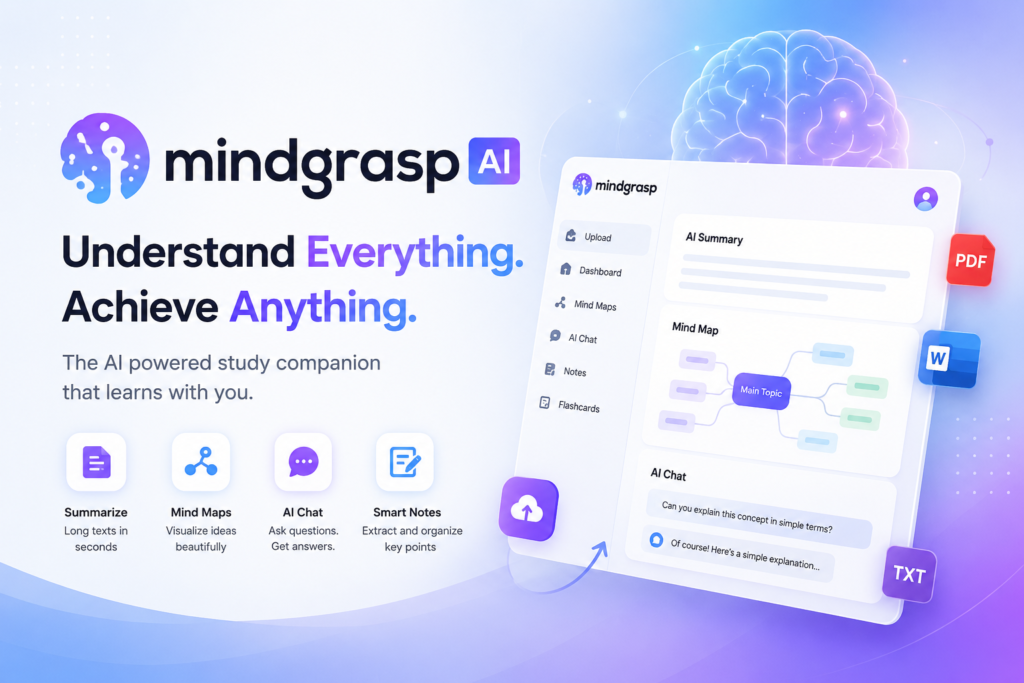
Supported Formats: PDFs, YouTube videos, audio files (MP3/MP4), web articles, text documents, podcasts, Canvas/Blackboard/Moodle LMS links, and live lecture recordings.
Mindgrasp AI Key Features
1. mindgrasp ai AI-Generated Smart Notes
Mindgrasp AI reads your uploaded content and automatically creates structured, detailed notes. These notes are organized with bullet points, headings, and key concepts. Notes that would normally take hours to prepare are ready in seconds with Mindgrasp.2. Automatic Summaries
Do you need a short summary of a lengthy PDF or a one-hour lecture? Mindgrasp AI automatically generates short, accurate summaries that cover all the main points without wasting your time.3. Flashcards Generator
Mindgrasp AI automatically creates flashcards from your material that are perfect for exam preparation. Vocabulary, concepts, dates — everything becomes available in flashcard format.4. Auto Quiz Generation
This is a powerful feature. Mindgrasp AI generates multiple choice and open-ended quizzes based on your material. It is one of the best ways to check your own progress.5. AI Tutor (Q&A Chat)
You can ask any question about your uploaded material and Mindgrasp AI will answer like an AI tutor, referencing the source material as it responds.6. Live Lecture Recording
With the Scholar and Premium plans, you can record live lectures and Mindgrasp AI will prepare notes in real time. By the time class ends, your notes are already ready.7. Web Search Integration
Mindgrasp AI cross-checks its notes against live web sources and academic journals, and provides clickable citations so you can verify information.8. Mind Maps
For visual learners, Mindgrasp AI also generates mind maps that show the relationships between different concepts in your material.9 LMS Integration
It integrates directly with popular LMS platforms like Canvas, Blackboard, and Moodle. Just paste a link and your notes are ready.10 Mobile and iOS App
An iOS app is available for Scholar and Premium plan users. Android users can access it through the web browser as well.How Does Mindgrasp AI Work?
Using Mindgrasp AI is very simple. There are just 3 steps:- Upload: Paste or upload a PDF, YouTube link, audio file, or any other supported format.
- Let it process: Mindgrasp AI analyzes the content using AI. This usually takes around 30 to 60 seconds.
- Use your study materials: Notes, summaries, flashcards, and quizzes are all automatically ready to use.
Mindgrasp AI Pricing Plans 2026
Mindgrasp AI does not have a permanent free plan — only a 4-day free trial is available. After the trial, there are three paid plans:Basic Plan – $5.99/month
- Unlimited AI notes, summaries, flashcards, and quizzes
- Single file upload per session
- AI Q&A chat
- Web search integration
- Annual plan: $71.88/year (around 40% savings)
Scholar Plan – $9.99/month (Most Popular)
- All Basic features, plus:
- AI Math Expert
- 5 hours per month of live recording
- iOS app access
- Annual plan: $107.88/year
Premium Plan – $10.99 to $14.99/month
- All Scholar features, plus:
- 10 hours per month of live recording
- Multiple file and link uploads at once
- AI image analysis for diagrams, charts, and handwritten notes
- Annual plan: $131.88/year
Important Warning: A credit card is required for the 4-day free trial. If you do not cancel before the trial ends, a paid plan will automatically begin. Several users have reported unexpected charges. Always set a calendar reminder before starting the trial.
Mindgrasp AI – Pros and Cons
Pros (Benefits)
- Support for multiple formats including PDF, video, audio, YouTube, and LMS
- Accurate AI-generated notes and summaries
- Saves time — hours of work done in minutes
- Live lecture recording available on Scholar and above
- Supports 30+ languages
- Web search with cited research integration
- AI math expert feature included
- LMS integration with Canvas, Blackboard, and Moodle
- 4-day free trial available
- Trusted by 500,000+ users
Cons (Drawbacks)
- No permanent free plan
- Credit card required for free trial
- PowerPoint (.pptx) files not directly supported — must convert to PDF first
- Large files can take longer to process
- Complex technical content can sometimes miss nuance
- Progress is not saved server-side — relies on browser localStorage
- No dedicated Android app — web browser only
- Some users have reported difficulties with billing cancellation
- Updates can be slow since it is largely a solo developer project
Mindgrasp AI vs Alternatives – Detailed Comparison 2026
| Feature | Mindgrasp AI | NotebookLM | Quizlet | StudyFetch | Anki |
|---|---|---|---|---|---|
| Price | $5.99–$14.99/mo | Free (Google) | Free / $7.99+/mo | Free / Paid | Free |
| Free Plan | ❌ (4-day trial) | ✅ Full free | ✅ Limited | ✅ Limited | ✅ Full free |
| AI Notes | ✅ Excellent | ✅ Good | ❌ | ✅ Good | ❌ |
| Flashcards | ✅ Auto-generated | ❌ | ✅ Best-in-class | ✅ | ✅ Spaced rep |
| Quizzes | ✅ Auto-generated | ❌ | ✅ | ✅ | ❌ |
| Video / YouTube | ✅ | ✅ | ❌ | ✅ | ❌ |
| Live Recording | ✅ (Scholar+) | ❌ | ❌ | ✅ | ❌ |
| LMS Integration | ✅ | ❌ | ❌ | Limited | ❌ |
| Math Support | ✅ (Scholar+) | Limited | ❌ | ❌ | ❌ |
| Mobile App | iOS (Scholar+) | iOS & Android | iOS & Android | iOS & Android | iOS & Android |
| Best For | All-in-one study | Research/citations | Memorization | Multimedia | Long-term memory |
Who Is Mindgrasp AI Best For?
You should definitely try it if you are:- A college or university student who deals with lectures and PDFs regularly
- Taking 4 or more courses with heavy reading loads
- A medical, law, or MBA student who needs to memorize large amounts of content
- A professional who needs notes from meetings, reports, or industry content
- Someone who prefers learning from YouTube videos or podcasts
- Using Canvas or Blackboard as part of your studies
- On a tight budget and need a completely free tool
- Only processing one or two documents occasionally
- Looking to upload PowerPoint files directly
- Needing a dedicated Android app
Frequently Asked Questions (FAQs) – Mindgrasp AI
What is Mindgrasp AI and how does it work?
Mindgrasp AI is an AI-powered study assistant tool that automatically converts your uploaded documents, videos, and audio files into smart notes, summaries, flashcards, and quizzes. You simply upload your material and Mindgrasp AI takes care of the rest.Does Mindgrasp AI have a free plan?
No, Mindgrasp AI does not have a permanent free plan. However, a 4-day free trial is available where you can test all the features. After the trial, the Basic Plan starts at $5.99 per month.What file formats does Mindgrasp AI support?
Mindgrasp AI supports PDFs, text documents, YouTube videos, audio files (MP3, MP4), podcasts, web articles, and Canvas/Blackboard/Moodle LMS links. PowerPoint (.pptx) files are not directly supported — you need to convert them to PDF first.Are Mindgrasp AI summaries accurate?
For text-based content, accuracy is generally good. Key points from articles, research papers, and documents are captured well. For complex technical content or unclear audio, some nuance may occasionally be missed. It is always recommended to review the generated material.What is the difference between Mindgrasp AI and NotebookLM?
Mindgrasp AI is an all-in-one study platform covering notes, flashcards, quizzes, and live recording, starting at $5.99 per month. NotebookLM is a free Google tool that is excellent for research and document exploration but does not create flashcards or quizzes. Mindgrasp AI is more powerful for multimedia content, while NotebookLM is better for budget-conscious users and citation needs.Is Mindgrasp AI safe to use?
Yes, Mindgrasp AI is a trusted platform. It has a trust score of 100 out of 100 and a valid SSL certificate. No malware or phishing threats have been detected. There have been some complaints about billing issues such as unexpected charges, so make sure you remember to cancel the trial if you decide not to continue.Is Mindgrasp AI worth it for students?
If you are taking 4 or more heavy courses and regularly need to create notes from lectures and PDFs, the Basic Plan at $5.99 per month is worth it. It costs less than a cup of coffee. However, if you only use it occasionally, free options like NotebookLM or StudyFetch may be a better choice.Can Mindgrasp AI process YouTube videos?
Yes. You simply paste the YouTube video link and Mindgrasp AI uses the video transcript to create notes, a summary, flashcards, and quizzes automatically.❓ What is the best alternative to Mindgrasp AI?
It depends on what you need. For a free option, NotebookLM is excellent. For a flashcard-first approach, Quizlet or Anki are great choices. For live recording on a budget, StudyFetch is worth considering. For an all-in-one experience, Mindgrasp AI remains the best option.Is Mindgrasp AI still worth it in 2026?
Yes. With more than 500,000 active users, regular feature updates, and strong AI accuracy, Mindgrasp AI remains a reliable study tool in 2026. The only area that needs improvement is billing transparency.Final Verdict – Mindgrasp AI 2026
If you are looking for a study tool that provides notes, summaries, flashcards, quizzes, and live recording all in one place, Mindgrasp AI is still a top choice in 2026. This tool is perfect for students and professionals who work with heavy content on a regular basis — medical students, law students, MBA aspirants, and corporate professionals. At $5.99 per month, it is a strong investment in your productivity. However — and this is important — always set a calendar reminder before starting the free trial so you do not get an unexpected charge after the trial period ends. Billing issues have been the most common complaint about this tool. Start with the 4-day free trial, upload your hardest class material, and judge for yourself. The numbers speak clearly — 500,000 plus users have found the experience valuable. You might too.⭐ Our Rating: 4.1 / 5
Best for: Students with heavy multimedia course loads
Price: $5.99–$14.99/month
Free Trial: 4 days (credit card required)