

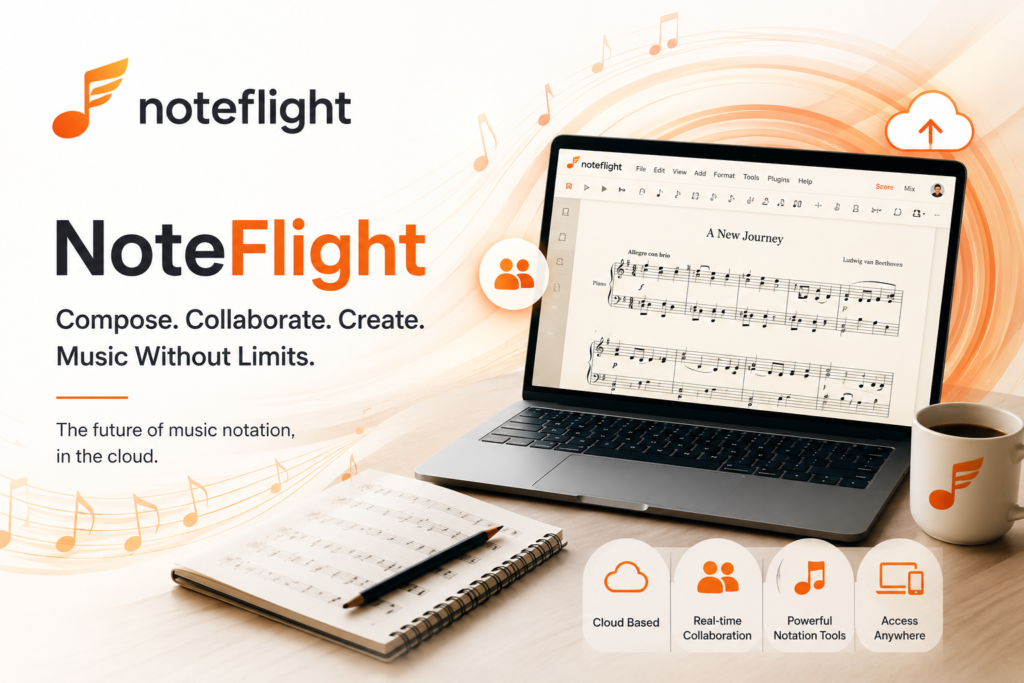
What is Noteflight?
Noteflight is an online music notation software that allows users to create, edit, share, and print musical scores directly through a web browser. Developed by Hal Leonard, one of the largest music publishers in the world, Noteflight has become a trusted platform for musicians of all skill levels. The platform combines professional-grade music notation capabilities with the convenience of cloud-based access, making it possible for users to work on their compositions from anywhere in the world. The platform serves a diverse range of users including professional composers, music educators, students, hobbyist musicians, and music professionals who need accessible and powerful notation tools. Noteflight stands out for its user-friendly interface that makes music notation accessible to beginners while still providing the advanced features that professional composers require. Similar to how Mindgrasp AI revolutionizes learning through digital technology, Noteflight is transforming how musicians approach composition and music education.How Does Noteflight Work?
The working mechanism of Noteflight is designed to be intuitive while providing comprehensive notation capabilities. Here is a step-by-step breakdown of how the platform operates:Step 1: Account Creation
Users sign up for a Noteflight account on the official website using their email address.Step 2: Score Setup
Users create a new score by selecting instruments, time signature, key signature, and other initial settings.Step 3: Note Entry
Musicians enter notes using various methods including mouse, keyboard shortcuts, MIDI input, or step-time entry.Step 4: Notation Editing
The platform provides comprehensive editing tools for adjusting notes, rhythms, dynamics, and articulations.Step 5: Playback System
Built-in playback engine allows users to hear their compositions with realistic instrument sounds.Step 6: Collaboration Features
Users can share scores with others for collaborative editing and feedback in real-time.Step 7: Cloud Storage
All compositions are automatically saved to cloud storage for access from any device.Step 8: Score Sharing
Finished compositions can be shared via links, embedded on websites, or exported in various formats.Step 9: Printing and Export
Scores can be printed professionally or exported as PDF, MIDI, MusicXML, or audio files.Step 10: Community Engagement
Users can publish scores to the Noteflight community for others to discover and enjoy. The entire process transforms what was once a complex task requiring expensive software into an accessible online experience available to anyone with an internet connection.Key Features of Noteflight in 2026
Noteflight has evolved significantly and now offers an impressive range of features designed to support modern music notation needs. Here are the main features available in 2026:Web-Based Notation Editor
The platform runs entirely in web browsers, eliminating the need for software installation or updates.Professional Score Creation
Create professional-quality musical scores with comprehensive notation symbols and formatting options.Multiple Instrument Support
Access to over 85 instruments including orchestral, band, choral, and contemporary instruments.Realistic Playback
High-quality instrument sounds for realistic playback of compositions during creation and review.MIDI Keyboard Support
Connect MIDI keyboards for natural note entry directly into the notation editor.Voice Entry Capability
Use microphone input to enter notes by singing or playing instruments through audio recognition.Cloud Storage
All compositions are saved automatically to cloud storage for access from any device.Real-Time Collaboration
Multiple users can work on the same score simultaneously with synchronized editing.Score Sharing
Share scores with others through links, social media, or embed them on websites.Community Library
Access thousands of public scores in the Noteflight community for learning and inspiration.Educational Tools
Specialized features for music education including assignment creation and student management.Mobile Compatibility
Access and edit scores on mobile devices through responsive web interface and dedicated apps.Audio Export
Export compositions as audio files for sharing or use in other music production projects.MusicXML Compatibility
Import and export MusicXML files for compatibility with other notation software.PDF Export
Generate high-quality PDF files of scores for printing or digital distribution.Lyrics Integration
Easy lyrics entry for vocal compositions with automatic syllable alignment.Chord Symbols
Add chord symbols above staves for guitar tablature and lead sheets.Tablature Support
Create guitar tablature alongside standard notation for guitar-focused compositions.Score Templates
Pre-designed templates for various ensembles and compositions to speed up score creation.Version History
Track changes to compositions with version history for reviewing previous edits.How to Use Noteflight: Step-by-Step Guide
Getting started with Noteflight is straightforward and designed for users of all musical skill levels. Follow these steps to begin creating music with Noteflight:Step 1: Visit Official Website
Visit the Noteflight official website using any modern web browser on your computer or tablet.Step 2: Create Free Account
Sign up for a free account using your email address or social media login options.Step 3: Verify Email Address
Verify your email address through the confirmation link sent to your inbox.Step 4: Complete Profile Setup
Complete your profile with basic information about your musical interests and experience level.Step 5: Explore Dashboard
Familiarize yourself with the main dashboard which displays your scores and recent activity.Step 6: Create New Score
Click the create new score button to start a fresh composition project.Step 7: Configure Score Settings
Select instruments, time signature, key signature, and tempo for your new composition.Step 8: Enter Notes
Begin entering notes using your preferred method including mouse clicks, keyboard shortcuts, or MIDI keyboard.Step 9: Edit and Refine
Use the editing tools to adjust notes, add dynamics, articulations, and other musical elements.Step 10: Test Playback
Use the playback feature to hear your composition and identify areas needing improvement.Step 11: Save Your Work
Your work is automatically saved to the cloud, but you can manually save versions for backup.Step 12: Share with Others
Share your composition with collaborators or the public through sharing options.Step 13: Export Final Version
Export your finished score in your preferred format including PDF, MIDI, or audio file.Step 14: Print Professional Copy
Print your score professionally using the high-quality print options for performance use.Noteflight Pricing in 2026
Noteflight offers flexible pricing plans designed to accommodate different types of users from casual hobbyists to professional educators:Noteflight Basic Plan
Allows users to access basic notation features with limited score creation and instrument options. Perfect for trying out the platform and casual users.Noteflight Premium Plan
Priced at approximately $7.95 per month or $49 per year, this plan offers unlimited score creation, access to all 85 plus instruments, advanced editing tools, and premium features.Noteflight Learn Plan
Designed for music educators at approximately $69 per year for a single teacher with up to 50 students, including assignment creation and student management tools.Noteflight Learn School Plan
Custom pricing for entire schools and music programs with comprehensive features for music education and administration.Noteflight Marketplace
Earn money by selling your original compositions to the Noteflight community through the marketplace feature.Annual Subscriptions
Significant savings compared to monthly billing for committed users who plan to use the platform regularly.Educational Discounts
Special pricing available for verified students and educational institutions with valid credentials.Free Trial
New users can try premium features through trial periods to evaluate the platform before subscribing. The pricing structure makes Noteflight accessible to musicians at various budget levels while providing comprehensive features for those who need professional capabilities.Who Should Use Noteflight?
Noteflight is designed for a wide range of musicians who can benefit from online music notation:Music Composers
Professional and amateur composers can create scores efficiently with cloud-based access from anywhere.Music Educators
Teachers can create educational materials, assignments, and lessons for their students with specialized tools.Music Students
Students can complete music theory assignments, compose original works, and learn notation skills.Songwriters
Songwriters can notate their compositions and create professional scores for collaboration with other musicians.Arrangers
Music arrangers can quickly create arrangements of existing songs for various ensembles and instruments.Choir Directors
Choir directors can prepare vocal arrangements and create custom scores for their ensembles.Band and Orchestra Directors
Ensemble directors can create custom arrangements and educational materials for their groups.Worship Leaders
Religious music leaders can create custom arrangements for worship services and choir performances.Music Therapists
Music therapists can create custom compositions for therapeutic sessions with their clients.Film and Game Composers
Media composers can quickly notate ideas and create scores for film and game projects.Music Theory Teachers
Theory instructors can create exercises and examples for teaching music theory concepts.Hobby Musicians
Hobby musicians can explore composition and create personal musical projects for enjoyment.Music Publishers
Small music publishers can use the platform to prepare scores for publication and distribution.Performance Musicians
Performance musicians can create custom arrangements and parts for their performances.Is Noteflight Safe and Reliable?
Safety and reliability are crucial considerations when using any cloud-based platform for storing creative work. Here is what users should know about Noteflight in 2026: The platform uses industry-standard encryption to protect user data both during transmission and storage. User accounts are protected with secure authentication methods, and the platform offers privacy controls for managing personal information and compositions. Noteflight complies with major data protection regulations including GDPR and CCPA. The company has implemented robust backup systems to protect user compositions from data loss. Noteflight regularly backs up user data to multiple secure servers, ensuring that creative work is preserved even in the event of technical issues.Safety Practices for Noteflight Users
Users should follow these safety practices when using Noteflight:Use Strong Passwords
Use strong unique passwords and enable two-factor authentication when available for account security.Regular Backups
Periodically download backup copies of important compositions to local storage for added security.Review Privacy Settings
Review and adjust privacy settings to control who can view, edit, or share your compositions.Respect Copyright
Be cautious about uploading copyrighted music without proper licensing or permissions.Verify Sharing Settings
Double-check sharing settings before publishing scores to ensure appropriate visibility levels.Monitor Collaborations
Carefully manage collaboration permissions when working with others on shared scores.Use Secure Networks
Access Noteflight from secure internet connections to protect your data during use.Update Account Information
Keep your account information up to date including recovery email and phone number. The platform has maintained excellent uptime and reliability throughout 2026, with most users reporting positive experiences with both performance and data security. Similar reliability standards apply to other educational platforms like Turbolearn which also handle important user content.Noteflight Alternatives in 2026
While Noteflight is a leading platform in the online music notation space, several alternatives offer similar functionality. Here are the top alternatives in 2026:MuseScore
A free open-source music notation software with comprehensive features and a strong community.Sibelius
A professional music notation software widely used by composers and educators worldwide.Finale
Another industry-standard music notation software offering extensive features for professional use.Dorico
A modern music notation software developed by Steinberg with advanced features and elegant design.Flat.io
An online music notation platform similar to Noteflight with cloud-based collaboration features.Soundtrap Notation
Spotify-owned platform combining music production with notation capabilities for content creators.StaffPad
iPad-focused notation app that allows handwritten music entry with stylus support.Notion Mobile
PreSonus mobile notation app for creating scores on tablets and mobile devices.Score Cloud
Music notation software that can transcribe audio into notation automatically using AI technology.MagicScore
User-friendly notation software for beginners and intermediate composers with simple interface.Notator
Music notation software focused on Atari and vintage music creation systems for retro enthusiasts.Capella
German-developed music notation software with comprehensive features and educational tools.Comparison Table: Noteflight vs Other Music Notation Software
| Feature | Noteflight | MuseScore | Sibelius | Finale | Flat.io |
|---|---|---|---|---|---|
| Cloud-Based | Yes | Limited | Limited | Limited | Yes |
| Free Plan Available | Yes | Yes | No | No | Yes |
| Starting Price | $7.95 | Free | $19.99 | $35.00 | $9.99 |
| Real-Time Collaboration | Yes | Limited | Yes | Yes | Yes |
| Mobile Compatibility | Yes | Yes | Limited | Limited | Yes |
| Instrument Library | 85+ | 100+ | 600+ | 500+ | 70+ |
| MIDI Support | Yes | Yes | Yes | Yes | Yes |
| Audio Export | Yes | Yes | Yes | Yes | Yes |
| MusicXML Support | Yes | Yes | Yes | Yes | Yes |
| Tablature Support | Yes | Yes | Yes | Yes | Yes |
| Educational Features | Yes | Yes | Yes | Yes | Yes |
| Community Library | Extensive | Massive | Limited | Limited | Yes |
| Voice Recognition | Yes | Limited | Yes | Yes | Limited |
| Learning Curve | Easy | Moderate | Steep | Steep | Easy |
| Print Quality | High | High | Excellent | Excellent | High |
Pros and Cons of Noteflight
| Pros | Cons |
|---|---|
| Cloud-based access from any device | Limited features in free plan |
| User-friendly interface for beginners | Subscription required for advanced features |
| Real-time collaboration capabilities | Internet connection required for use |
| Affordable compared to professional software | Smaller instrument library than competitors |
| Excellent for music education needs | Some advanced notation features missing |
| Active community with shared scores | Performance depends on internet speed |
| Mobile compatibility through web | Limited offline functionality |
| Easy score sharing options | Less powerful than professional desktop software |
| Automatic cloud saving prevents data loss | Some users prefer desktop applications |
| MIDI keyboard support for natural entry | Voice recognition accuracy varies |
| Voice-to-note feature for quick entry | Subscription model may not suit all users |
| Multiple export formats available | Premium features locked behind paywall |
| Realistic playback for review | Limited customization compared to pro software |
| Educational tools for teachers | Some templates may feel basic |
| Marketplace for selling compositions | Customer support response times vary |