

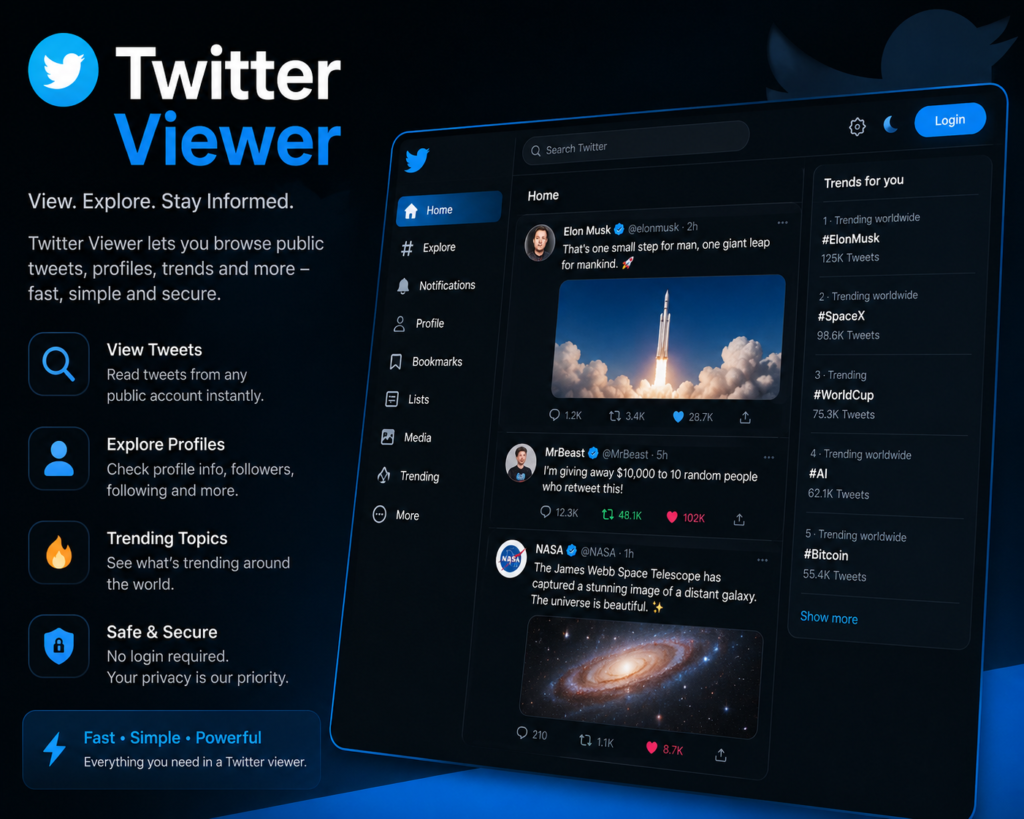
What is a Twitter Viewer?
A Twitter viewer is an online tool or website that allows users to view Twitter content without needing to log in or create a Twitter account. These tools work by accessing publicly available Twitter data and presenting it in a readable format for users. Twitter viewers became particularly important after Twitter made several changes to its platform, including restricting access to non-logged-in users. Many users who do not want to create accounts or who want to maintain privacy turned to these third-party tools to continue accessing Twitter content. These tools are designed for journalists, researchers, marketers, privacy-conscious users, and anyone who wants to browse Twitter content anonymously. Twitter viewer tools have become essential for those who need to monitor public discussions, research trends, or simply read tweets without engaging with the platform directly. The technology behind Twitter viewers varies, with some using official Twitter APIs while others use web scraping techniques to gather publicly available data. The legal landscape around these tools is complex and continues to evolve as Twitter changes its policies.How Does a Twitter Viewer Work?
Twitter viewer tools generally work in a straightforward manner from the user's perspective. Users visit the Twitter viewer website and either enter a Twitter username or paste a tweet URL. The tool then fetches the requested content and displays it in a clean, readable format. Behind the scenes, these tools use different technical approaches to access Twitter data. Some legitimate viewers use the Twitter API, which requires authentication and follows Twitter's terms of service. Others use web scraping methods that extract publicly visible content from Twitter pages without using the official API. Most Twitter viewers do not require users to create accounts or provide any personal information. This anonymous access is one of the main appeals of these tools. Users can browse tweets, view profiles, see media content, and read replies without leaving any trace on Twitter's platform. The interface of Twitter viewers is typically simpler than the official Twitter platform. There are no ads, no algorithmic timelines, and no distracting features. The focus is purely on viewing content. This stripped-down approach is appreciated by users who find the official Twitter interface cluttered. The simplicity is similar to other clean platforms like droven.io that focus on delivering content without unnecessary distractions. Some advanced Twitter viewers offer additional features like downloading media, searching for specific tweets, viewing deleted content from cached versions, and accessing historical tweet data.Key Features of Twitter Viewer Tools
Twitter viewer tools offer various features that make them attractive alternatives to using Twitter directly. Here is a detailed look at the common features available. Anonymous browsing is the primary feature of most Twitter viewer tools. Users can view tweets, profiles, and replies without logging in or creating an account. This provides complete anonymity for those who want to monitor Twitter content without being tracked. Profile viewing allows users to see Twitter profiles including bio information, follower counts, follower lists, following lists, and recent tweets. This is useful for research, journalism, and competitive analysis. Tweet viewing capability lets users read individual tweets, threads, and conversations. Most viewers display tweets in chronological order rather than using Twitter's algorithm, providing a more straightforward reading experience. Media downloading is a popular feature of many Twitter viewers. Users can download images, videos, and GIFs from tweets directly to their devices. This is useful for content creators, journalists, and researchers who need to archive media. Search functionality on advanced Twitter viewers allows users to search for specific keywords, hashtags, or users across Twitter. Some viewers offer advanced search options with date ranges, language filters, and content type filters. Thread viewing presents Twitter threads in a readable format. Long threads can be difficult to follow on the official Twitter platform, but Twitter viewers often display them as continuous articles for easier reading. The ad-free experience is another major attraction. Twitter viewers do not show promoted tweets, sponsored content, or display ads, providing a cleaner browsing experience. Some Twitter viewers offer real-time updates, allowing users to see new tweets as they are posted. This is particularly useful for monitoring breaking news or live events. Privacy protection is built into most Twitter viewers. They do not track users, do not require accounts, and do not store browsing history. This makes them appealing to privacy-conscious users. Mobile compatibility is standard for most Twitter viewers. The tools work well on smartphones and tablets, allowing users to view Twitter content on any device.Popular Twitter Viewer Tools in 2026
Several Twitter viewer tools have gained popularity over the years. Here are some of the most commonly used options in 2026. Nitter is one of the most well-known Twitter viewer alternatives. It is an open-source platform that provides a clean interface for viewing Twitter content without ads or tracking. Multiple Nitter instances exist online, run by different communities. Twstalker offers profile viewing and tweet browsing capabilities. Users can search for usernames and view recent activity without logging in. Tweetdeck used to be a popular Twitter viewing and management tool but is now restricted to paying users after Twitter changes. Various web-based Twitter viewers continue to emerge, though many face challenges due to Twitter's evolving policies on third-party access. Users often need to try multiple options to find one that works reliably. Browser extensions also exist that enhance the Twitter viewing experience or provide alternative ways to access content without logging in.Pros and Cons of Twitter Viewer Tools
Every tool has its advantages and limitations. Here is an honest assessment of Twitter viewer tools in table format.| Pros of Twitter Viewer | Cons of Twitter Viewer |
|---|---|
| Anonymous access to Twitter content | Reliability issues due to Twitter restrictions |
| No account creation required | Cannot interact with tweets like, reply, retweet |
| Clean ad-free browsing experience | Some features may not work consistently |
| Privacy protection from tracking | Possible legal gray area with terms of service |
| Easy to use simple interface | Limited search capabilities on some tools |
| Free to use most platforms | Tools may shut down without warning |
| Media download capabilities | Cannot view protected or private accounts |
| Faster loading than official Twitter | No notifications for new content |
| Works without Twitter app | Inconsistent display of media content |
| Useful for research and journalism | Some viewers contain ads or trackers |
| Mobile friendly access | Cannot see real time engagement metrics |
| Helpful for those with banned accounts | Limited or no access to direct messages |
Comparison Table: Twitter Viewer Tools
Here is a detailed comparison of different Twitter viewer tools available in the market.| Feature | Nitter | Twstalker | Web Viewers | Browser Extensions | Official Twitter |
|---|---|---|---|---|---|
| Account Required | No | No | No | Varies | Yes |
| Anonymous Browsing | Yes | Yes | Yes | Partial | No |
| Ad Free | Yes | Limited | Varies | Yes | No |
| Mobile Support | Yes | Yes | Yes | Limited | Yes |
| Media Download | Yes | Yes | Some | Some | Limited |
| Profile Viewing | Yes | Yes | Yes | Yes | Yes |
| Tweet Search | Limited | Limited | Some | Yes | Yes |
| Thread View | Yes | Limited | Some | Yes | Yes |
| Reliability | Medium | Medium | Variable | Variable | High |
| Speed | Fast | Medium | Variable | Fast | Medium |
| Privacy Protection | High | Medium | Variable | Medium | Low |
| Cost | Free | Free | Free | Mostly Free | Free with Limits |
| API Based | No | Yes | Mixed | Mixed | Native |
| Real Time Updates | Limited | Limited | Limited | Yes | Yes |
| Interaction Features | None | None | None | Some | Full |